
Recover unused licenses through every channel your team already uses.
License Reclaim flags inactive Salesforce users and routes decisions through manager-approval emails or your existing ITSM platform — ServiceNow, Jira Service Management, Serval, or Freshservice. Connected Platforms extends the same pipeline to SaaS seats across nine tools, including new DocuSign and Outreach support. Ten safety checks. Full audit trail. No external middleware.









Connected Platforms — explore all nine → †
From inactive to reclaimed in six auditable steps.
Every transition is logged, reversible up to deactivation, and gated by a human decision — whether that decision arrives via email or from your ITSM platform. Dry-Run Mode lets you validate the whole pipeline before a single account is touched.
Find users who haven't logged in.
A scheduled scan reviews every active license type, finds users past your threshold, runs all 10 safety checks, and creates a Warning Case.
Email approval or ITSM ticket — per policy, your choice.
Configure each reclaim policy independently: send manager-approval emails with signed one-click links, open a ticket in ServiceNow, Jira Service Management, Serval, or Freshservice, or both. The decision lives in whatever tool your team already uses.
Keep or revoke — captured from any channel.
Managers click Keep or Revoke in the approval email. ITSM decisions arrive via signed webhook — the decision on the closed ticket triggers the corresponding action in Salesforce automatically.
Grace period before anything permanent.
On Revoke or timeout, the user is frozen (not deactivated). Frozen users sit for a configurable grace period during which a manager or the user themselves can appeal — reactivation is one click.
Seat reclaimed, ownership transferred.
After the grace period, the user is deactivated and the license seat is freed. Optional: open records (Opportunities, Cases, Leads) re-assigned to the user's manager so nothing falls through.
Annualized run-rate, YTD savings, top departments.
Every reclaim is a dollar-denominated Savings Event. Reactivations net out automatically. The dashboard surfaces the recurring-savings story your CFO actually wants — not just a count of dormant users.
SaaS seats, reclaimed with the same pipeline.
License Reclaim harvests unused seats in the tools your teams pay for per seat — each with its own policies, schedules, and reversible actions. And when a Salesforce user is deactivated, the Cleanup tab reassigns the reports and dashboards left behind so nothing breaks silently.
Asana ClickUp Monday.com Wrike Smartsheet Airtable Gong DocuSign eSignature New Outreach New Day-two operations, minus the toil.
Schedule scans without code
Daily, Weekly, or Monthly from the Setup tab. Pick an off-peak hour, pause anytime.
Clean up what's left behind
Bulk-reassign reports and dashboards still tied to deactivated users — or auto-remove them from deliveries on every scan.
Undo in one click
Reactivate frozen or deactivated users from Warning Cases; the CFO dashboard nets out reversals automatically.
A safe-by-default reclamation workflow inside Salesforce.
Every step — scan, ITSM setup, policy config, approval, freeze, deactivation — lives in Lightning. No external dashboards, no browser tabs switching between tools.
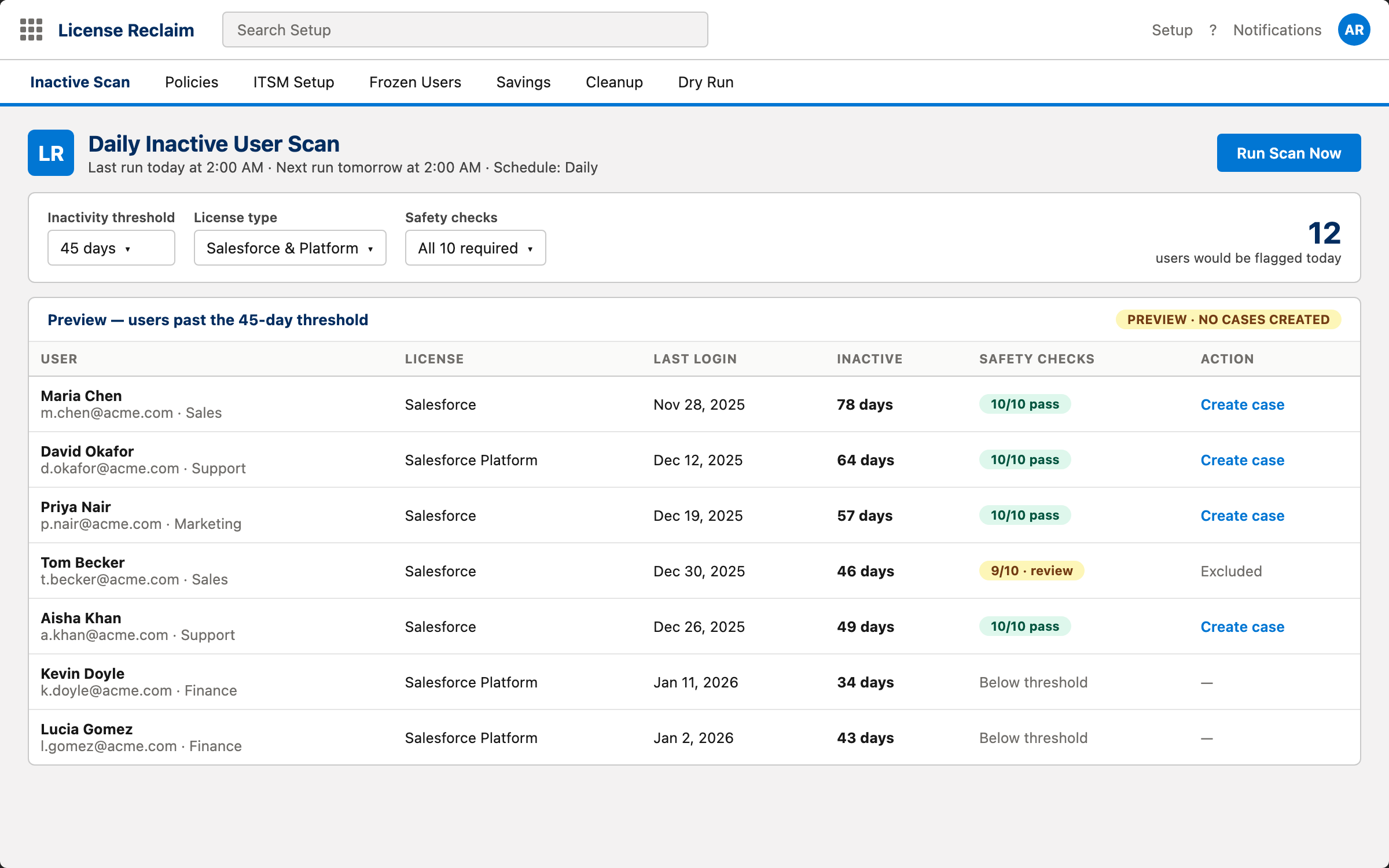
Find users who shouldn't be paying.
Configurable inactivity threshold, license-type filters, and a live preview of who would be flagged today — before any case is created.
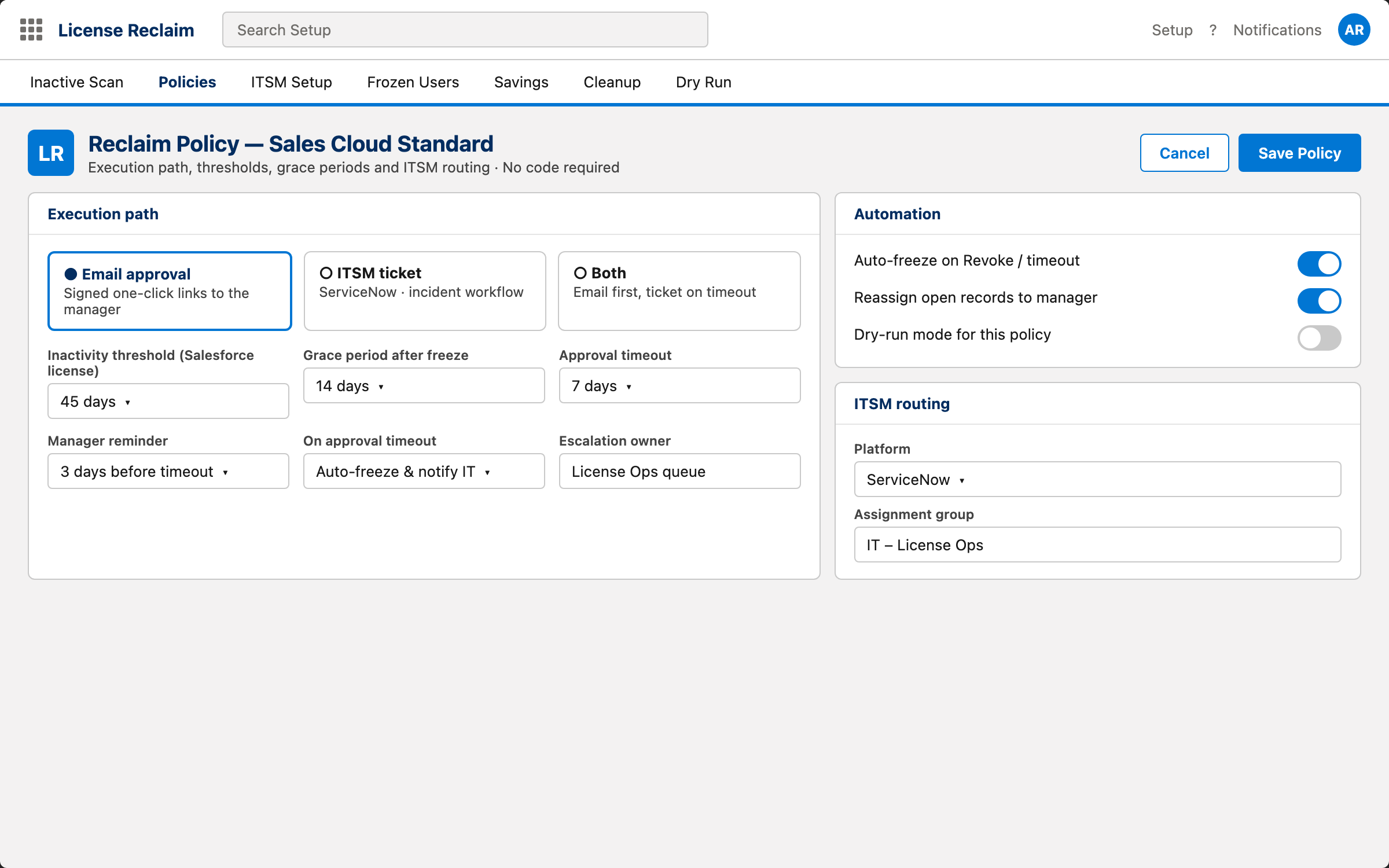
Your team owns the harvest strategy.
Sales Ops and Business Ops set the execution path, thresholds, grace periods, and ITSM routing per policy — no code, no admin tickets, no waiting.
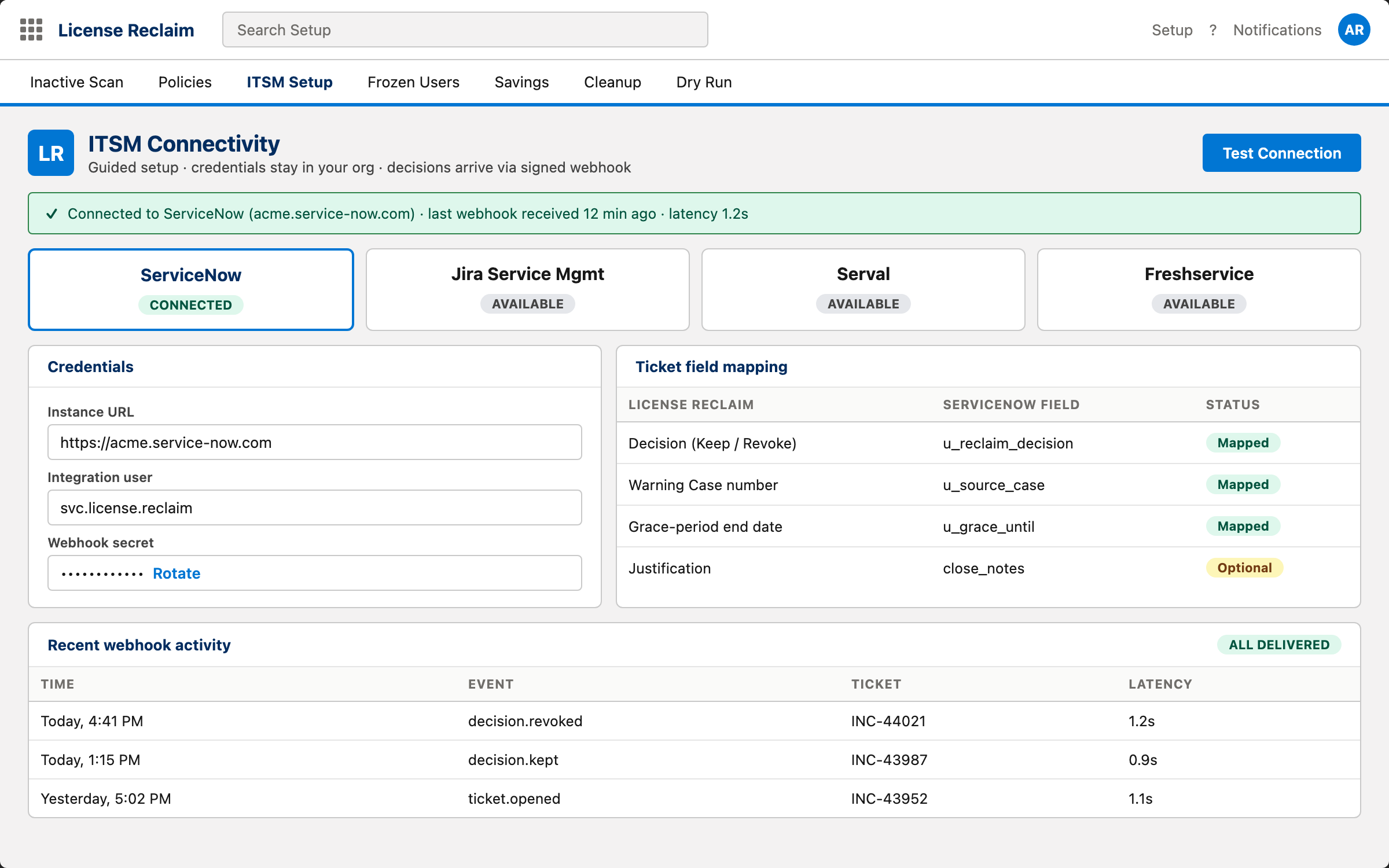
Connect to the ITSM platform your team runs.
Choose ServiceNow, Jira Service Management, Serval, or Freshservice. Paste your credentials, map the ticket fields, and test the connection — all from a guided Setup tab inside Salesforce.
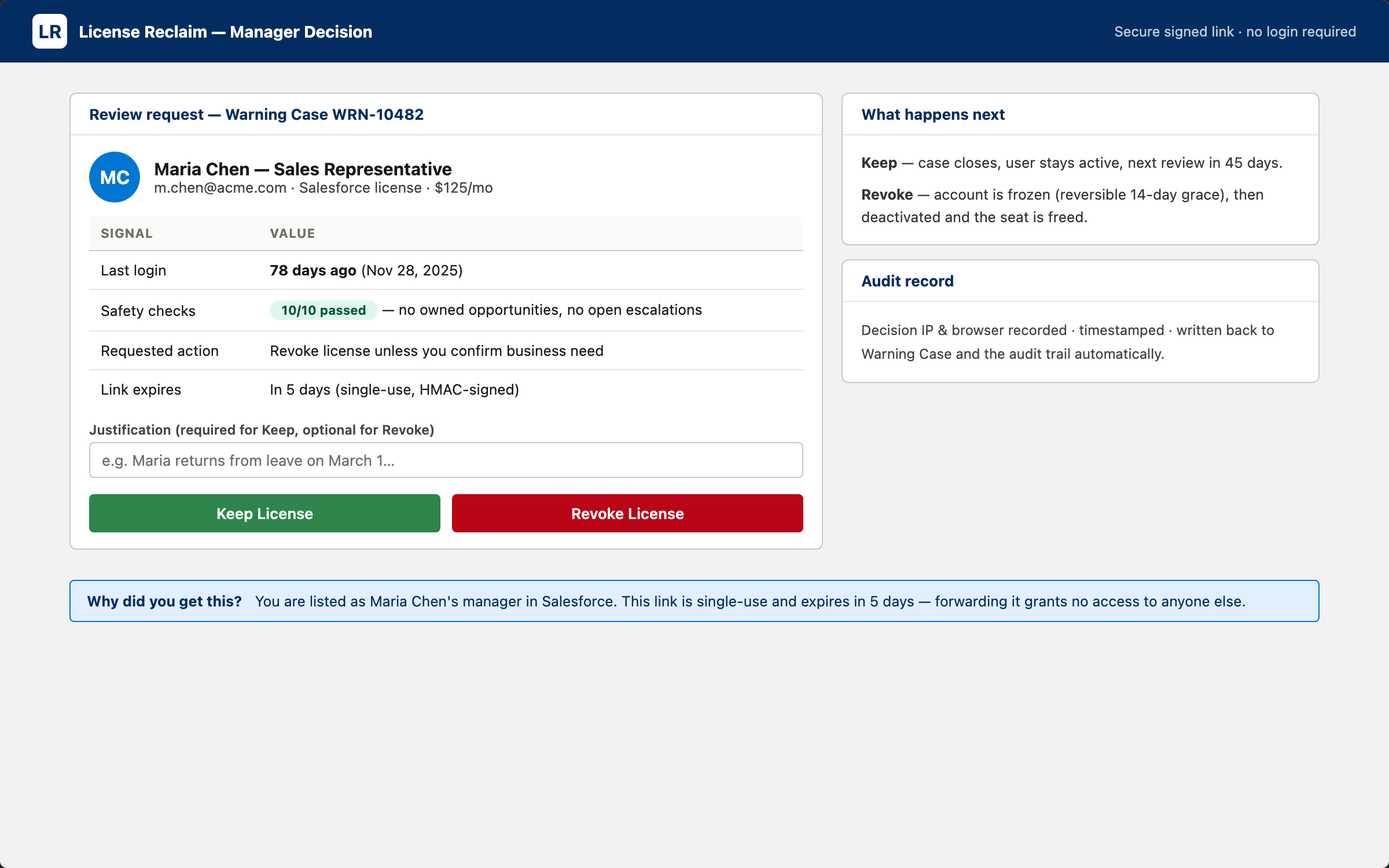
Two clicks, one decision.
The user's manager gets a signed-link email with Keep and Revoke buttons. The decision page records IP, user-agent, and an inline justification field.
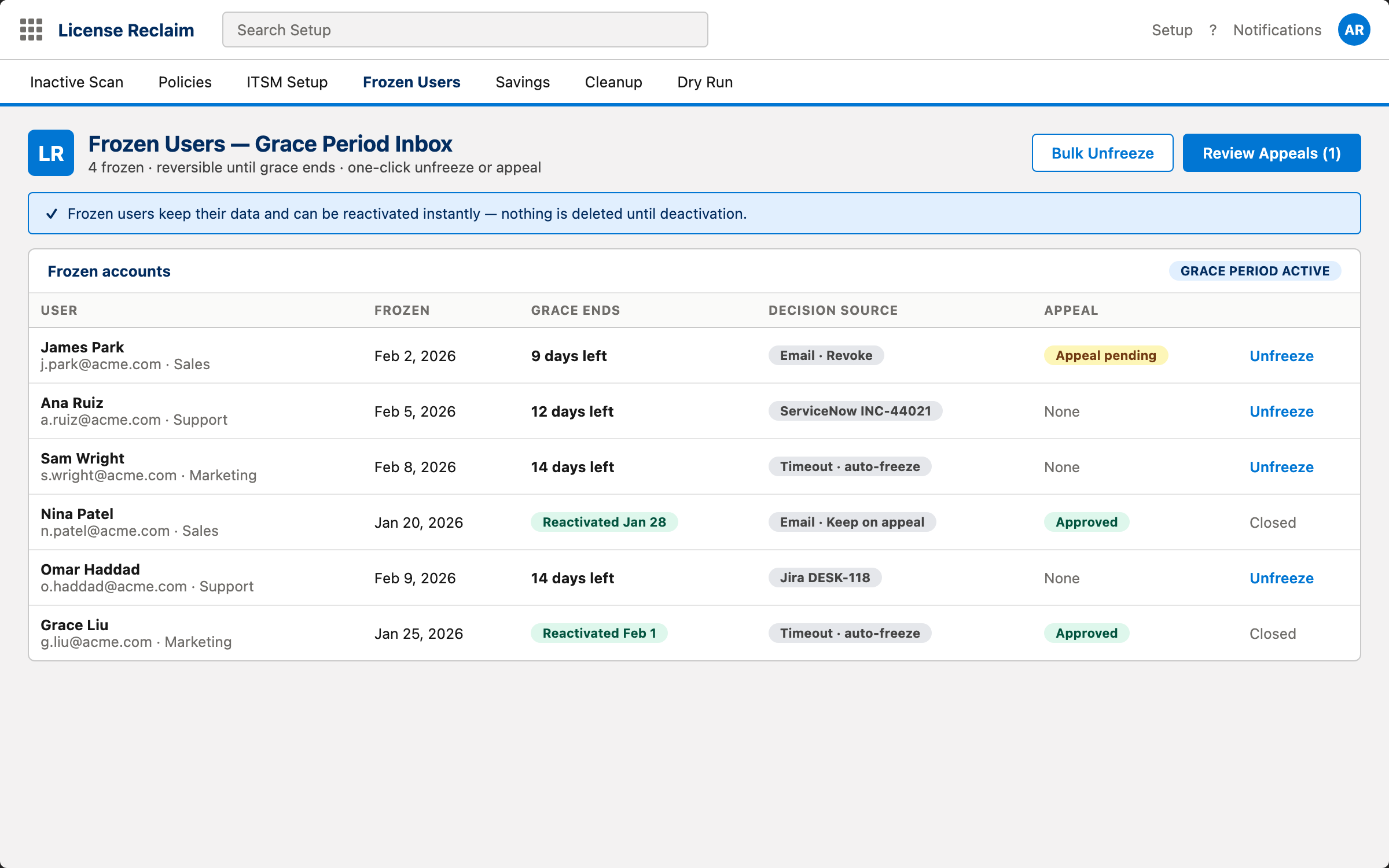
Grace period before anything permanent.
Freezes are reversible. Frozen users can appeal directly, or a manager can unfreeze with one click during the grace window.
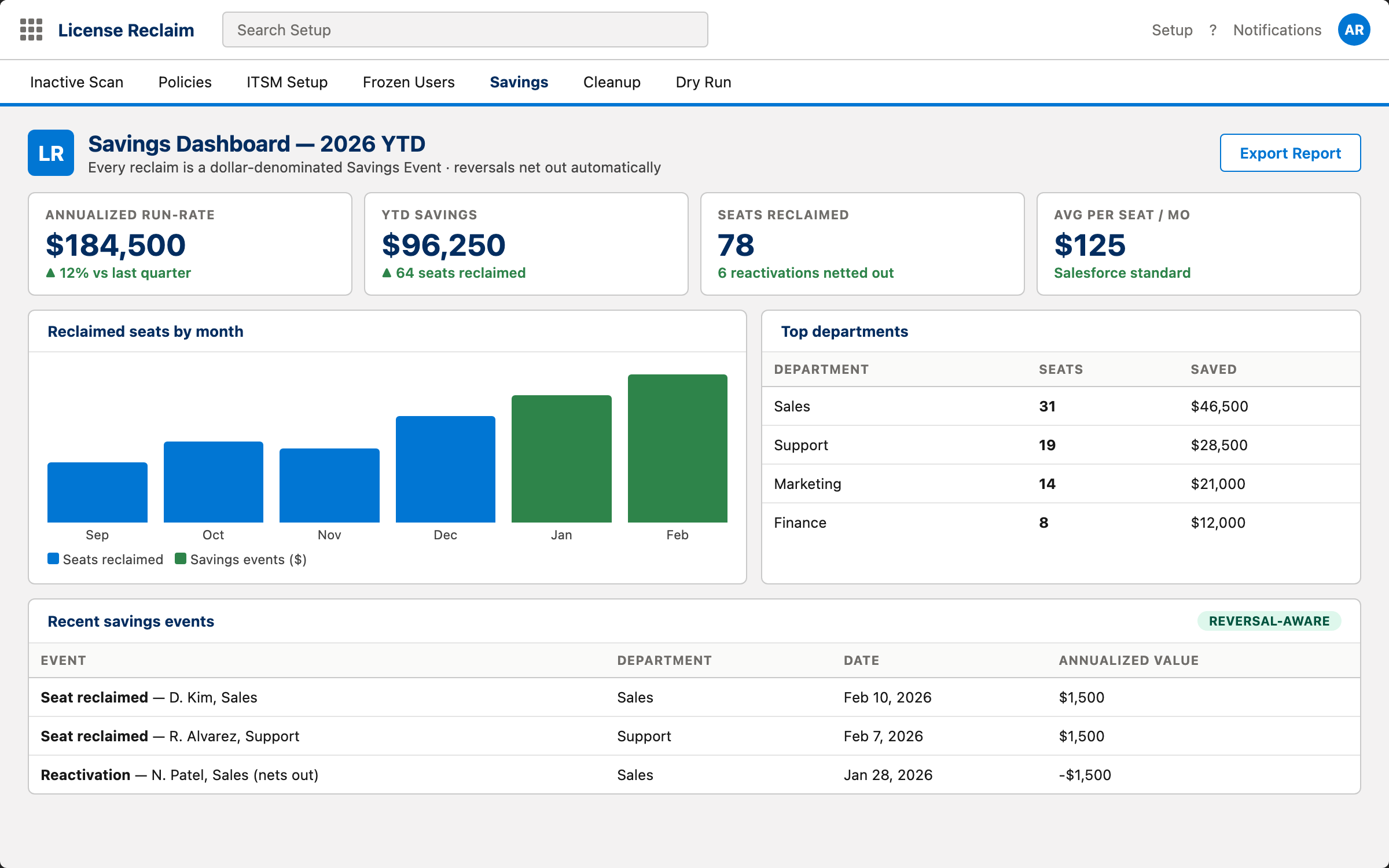
Annualized run-rate, YTD savings, top departments.
Reactivations net out automatically. The dashboard surfaces the recurring-savings story your CFO actually wants — not just a count of dormant users.
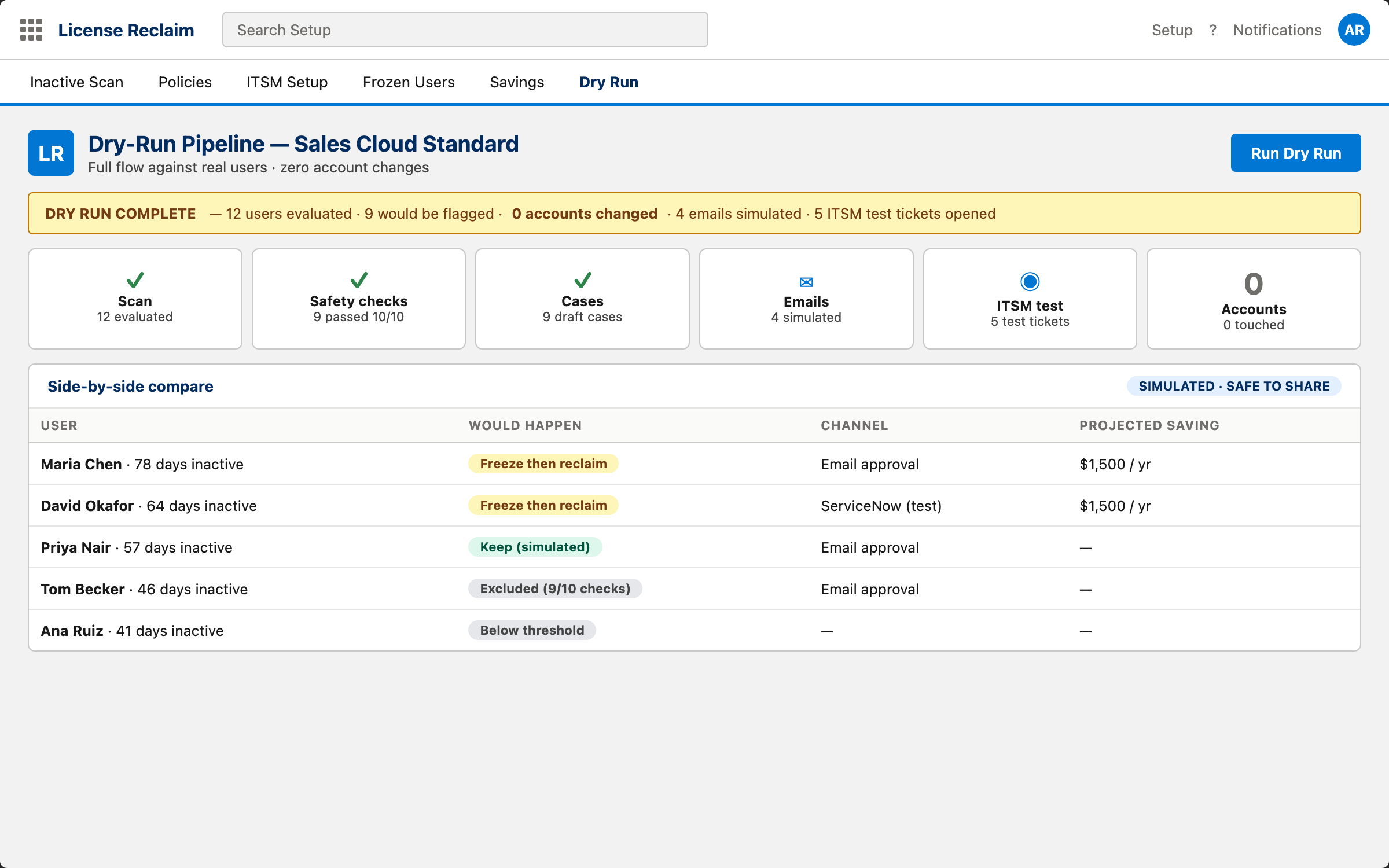
Validate the pipeline without touching a user.
Run the entire flow against real users to see what would happen. Cases are created, emails are simulated, ITSM tickets open in test mode — without changing any user account.
Reclaim the seats you're already paying for — in the tools you already use.
License Reclaim is delivered as a managed package. Start a 30-day trial — we'll email you the install URL and a one-time activation code; your org is registered and running in under five minutes. Connect to your ITSM platform in the same session.
Monthly and annual subscriptions available.